
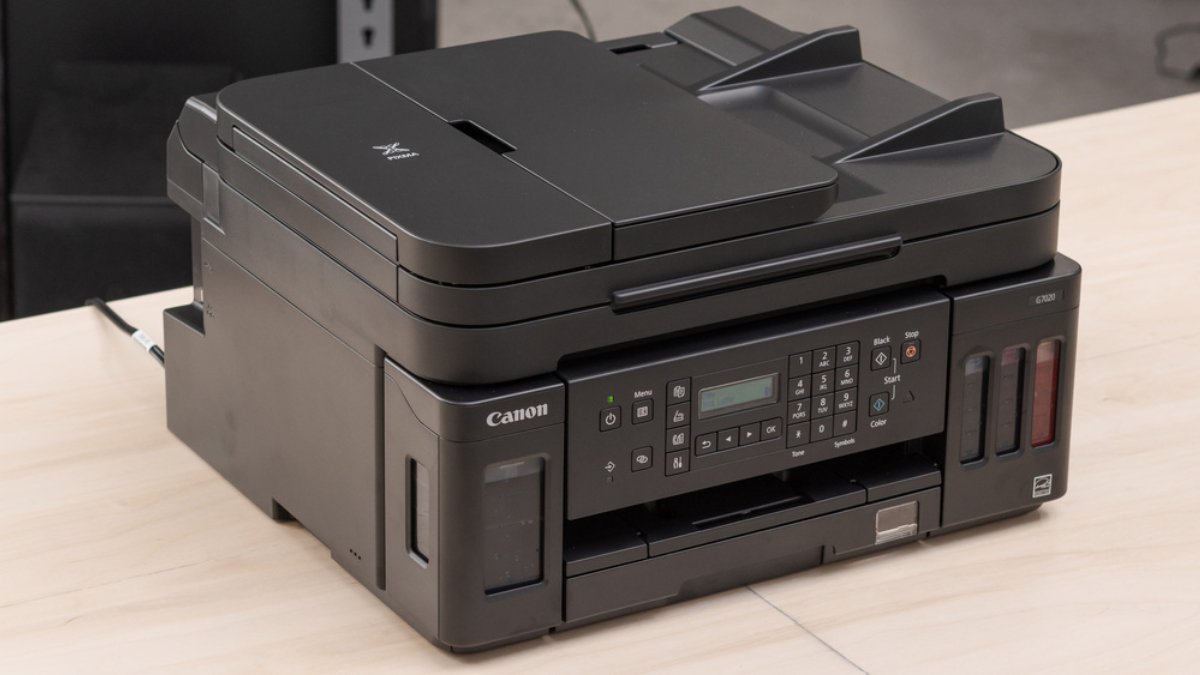
The Canon PIXMA G7020 is an all-in-one supertank inkjet printer which uses Canon GI-20 ink cartridges. It features an ADF scanner that can simplex scan up to 8.5″ x 14.0″ of paper, a flatbed scanner that can scan up to 8.5″ x 11.7″ of paper, a two-line LCD, fax, and copy features. It supports Apple AirPrint, Mopria Print Service, Google Cloud Print, and Canon’s mobile PRINT app. Connectivity choices include USB, Wi-Fi, Ethernet, and Wi-Fi direct.
Domestic use
The Canon G7020 is excellent for use as a family printer. The whole family will find it convenient because of its excellent connectivity. Its excellent print output and exceptional cost-to-print ratio mean that you won’t need to replace the ink tanks very frequently.
It makes copying, faxing, and scanning documents simple by providing an ADF and flatbed scanner. This printer is ideal for printing images at home because it can generate a decent range of colours and does an excellent job of replicating minor details.
Office use
The Canon G7020 works well for usage an office printer. It prints a large number of pages before the ink tanks need to be refilled, and it offers an exceptional cost-to-print ratio for papers with colour and black text. It can print double-sided documents in duplex mode. Large document copies, faxes, and scans are made simple with this printer’s flatbed and ADF scanners.
However, if you’re scanning documents that are double-sided, you’ll need to manually flip the page because this printer does not support duplex scanning. If you need to print a lot, keep in mind that it prints documents in both colour and black and white quite slowly.
For students
For students, the Canon G7020 is an excellent tool. For both black text and colour documents, this printer produces a large number of pages before the ink tanks need to be refilled. Its exceptional cost-to-print ratio and ability to function as a sheetfed and flatbed scanner further contribute to its affordability for students.
The fact that it prints both colour and black and white documents slowly is a drawback. There are excellent connectivity choices for this printer. You can use Wi-Fi Direct or a router to establish a Wi-Fi connection to your printer. Additionally, you can print from your mobile device with the Canon mobile PRINT app, Mopria Print Services, Google Cloud Print, Apple AirPrint, or Mopria Print Services.
Black and white printing
The Canon PIXMA G7020 prints well in both black and white. It produces a large number of pages before the ink tanks need to be refilled, and it offers an exceptional cost-to-print ratio for black ink. It does, however, print very slowly, and in the normal print mode, banding may occur in papers that are only printed in black. It’s also crucial to remember that you need colour ink even if you’re just printing documents in black and white because using colour ink less frequently can cause air to enter the printer’s ink system.
Photo printing
The Canon G7020 works well for informal portraiture. It creates photographs with good detail and prints photos of good quality. With its respectable colour accuracy, this model is appropriate for home photo printing. Nevertheless, there is some banding in the deeper portions of the picture and certain colours that are a touch too saturated.